 ReelGrid
For iPhone and iPad · Free to start
Every clip plays.
All at once.
Most collage apps let you add one video and stop there. ReelGrid gives every cell its own clip and plays them side by side in one frame, then exports the whole grid as one video.
- 41 layouts, all free
- Renders on your iPhone
- No account, no ads
0:00
0:00
0:00
0:00
Four clips, one frame · 0:00
01 · Layouts
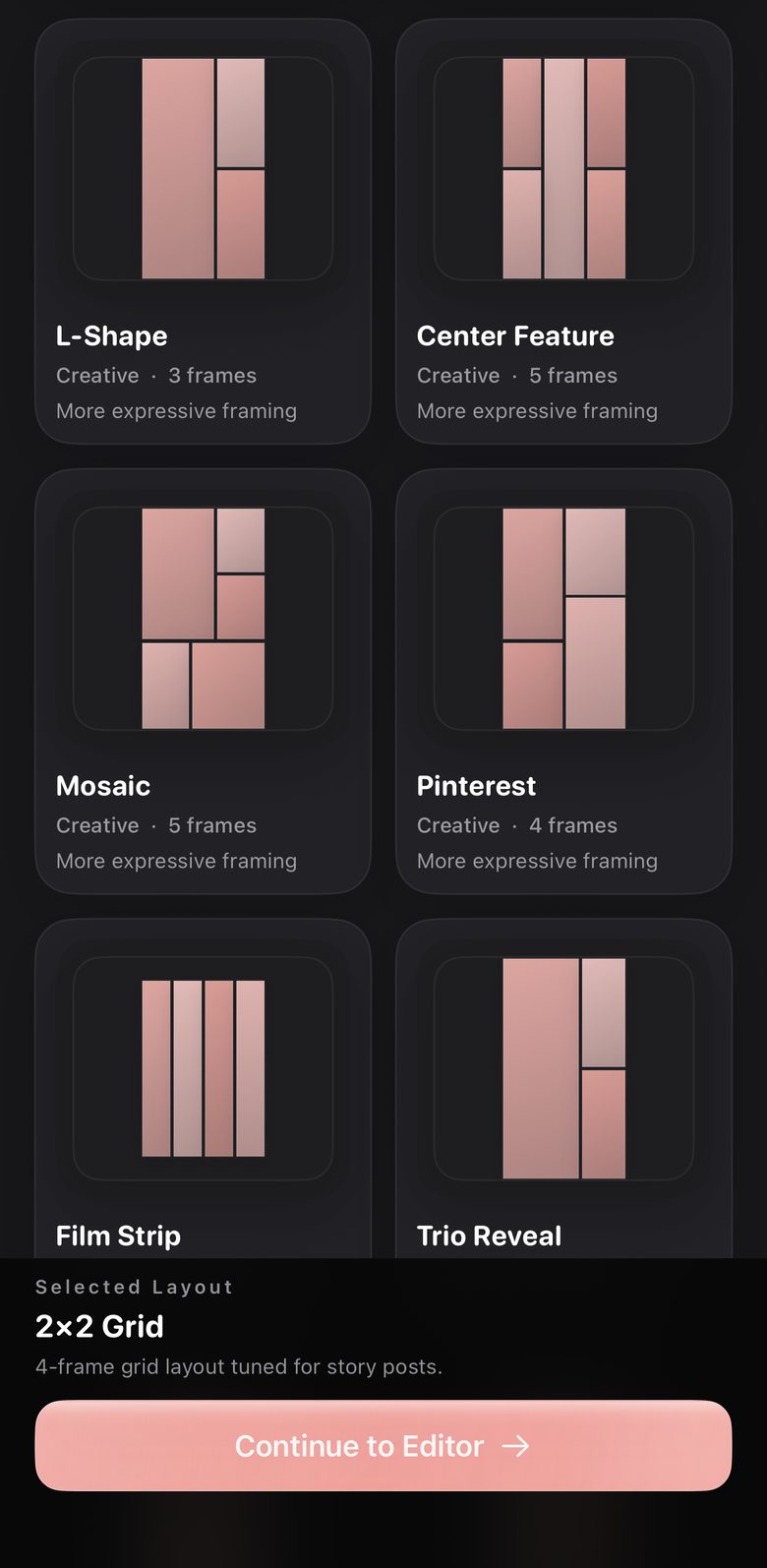
41 layouts. None of them locked.
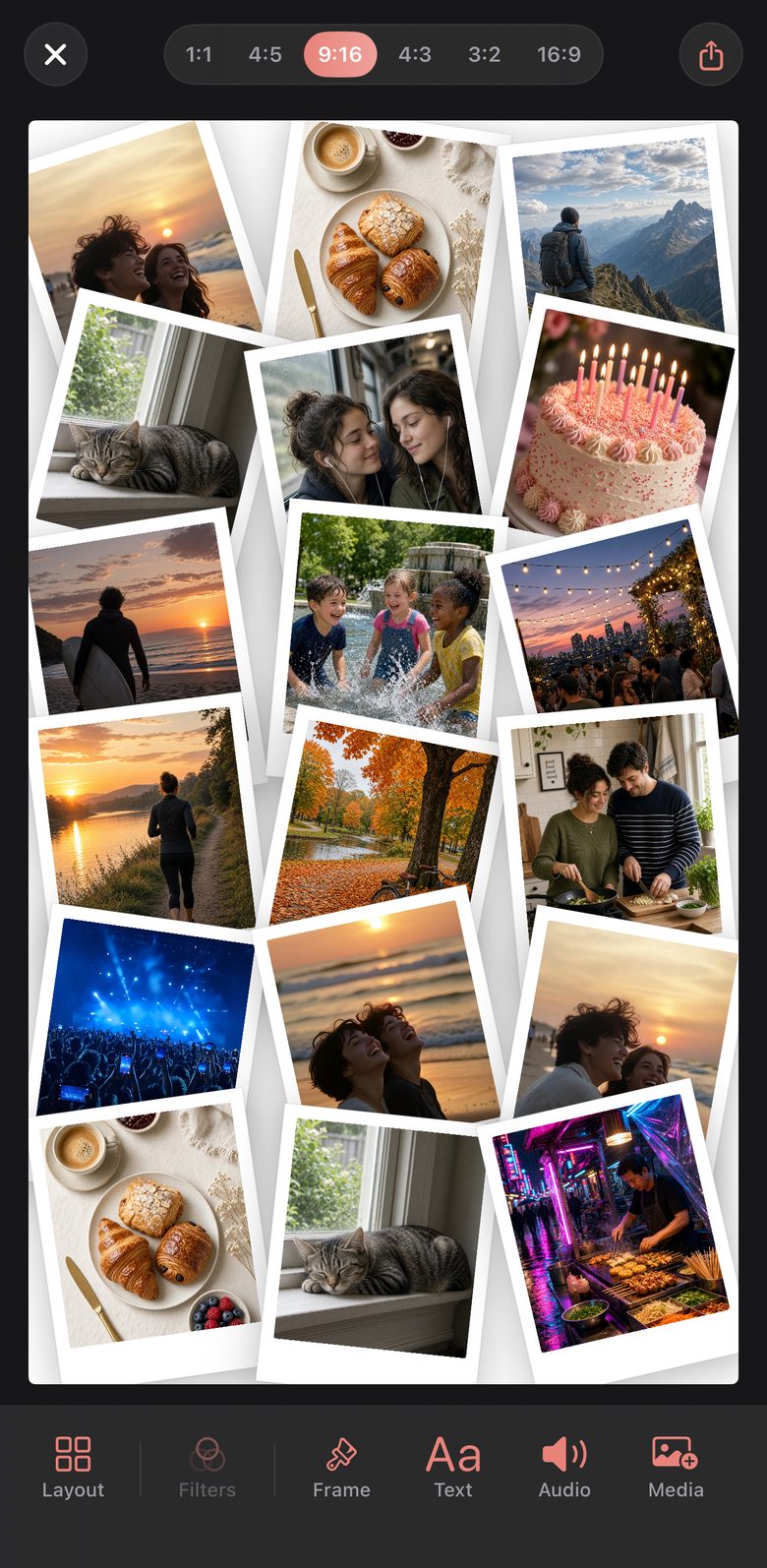
Grids from a simple 2-up to a dense 3×3. Asymmetric 70/30 splits, filmstrips and contact sheets. Polaroid piles, bento boxes and hexagons. Filter by what you're making: a reaction, a comparison, a multi-cam recap, a highlight reel.
Every layout is unlocked from the first launch. Nothing in the picker sits behind a paywall.
02 · Editor
Tune the frame, not just the clips.
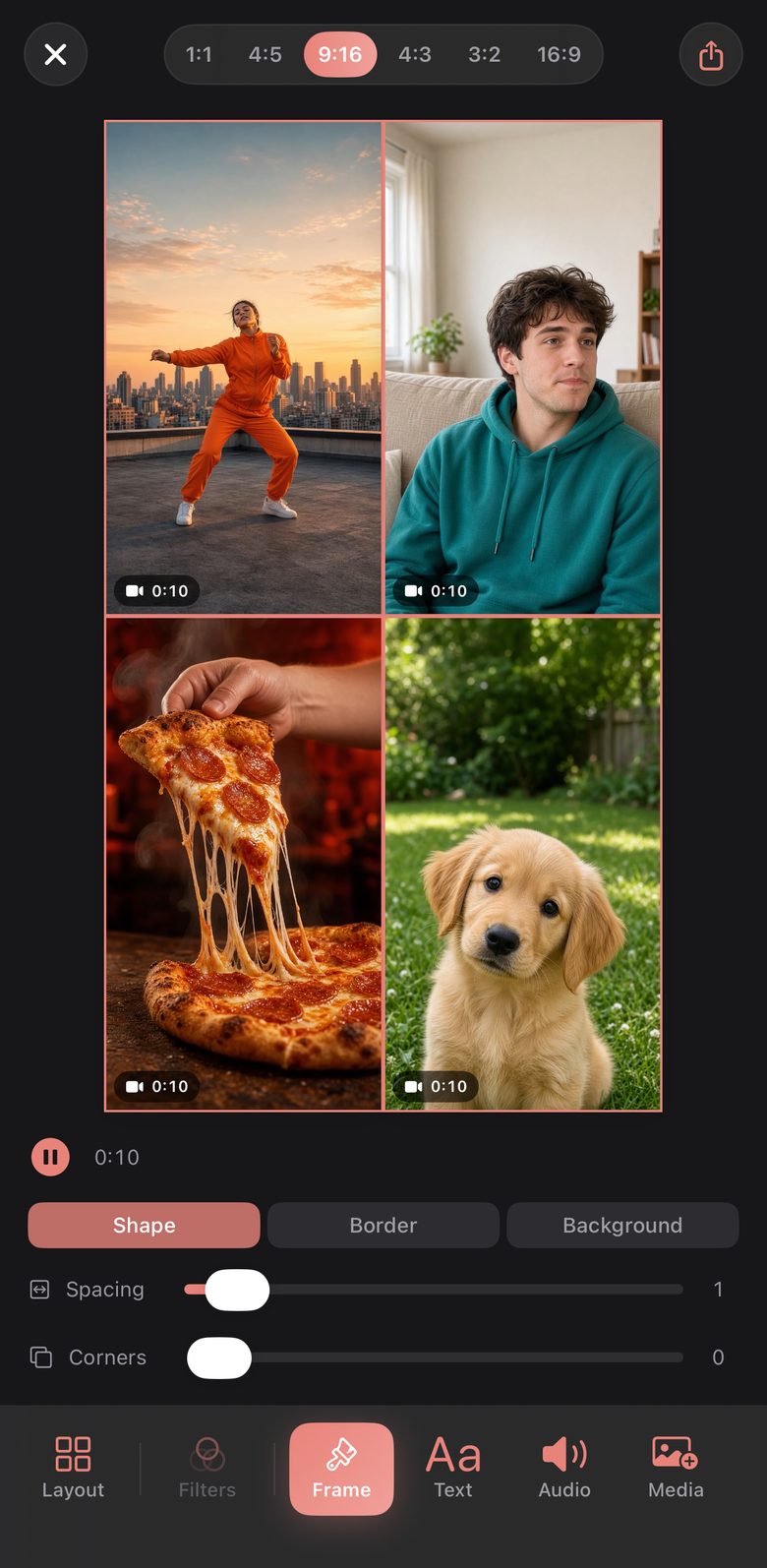
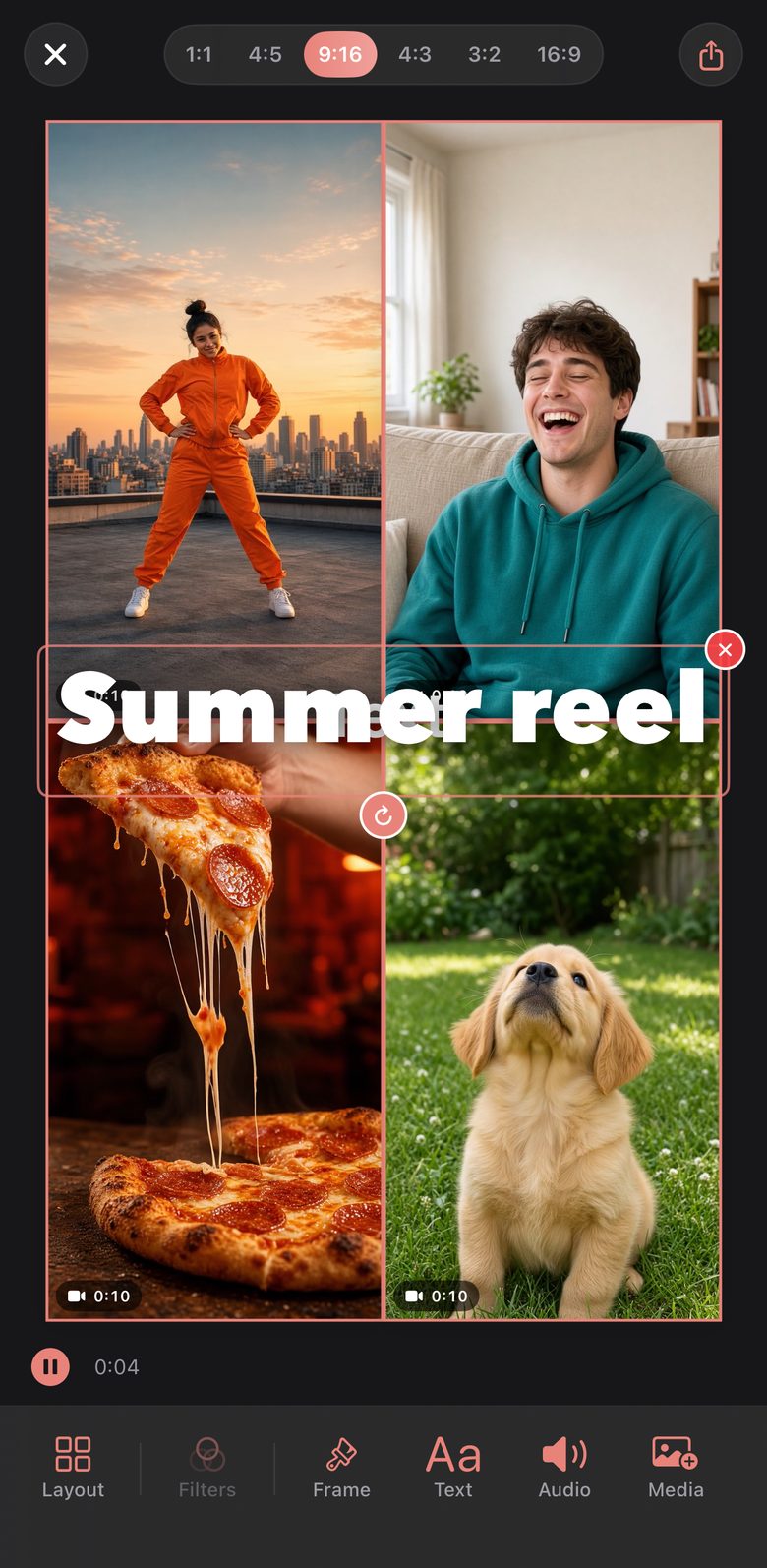
Pull the spacing between cells in or out, round the corners, and set the border and background. Put titles and captions anywhere on the canvas, with style presets and real bold, italic and underline.
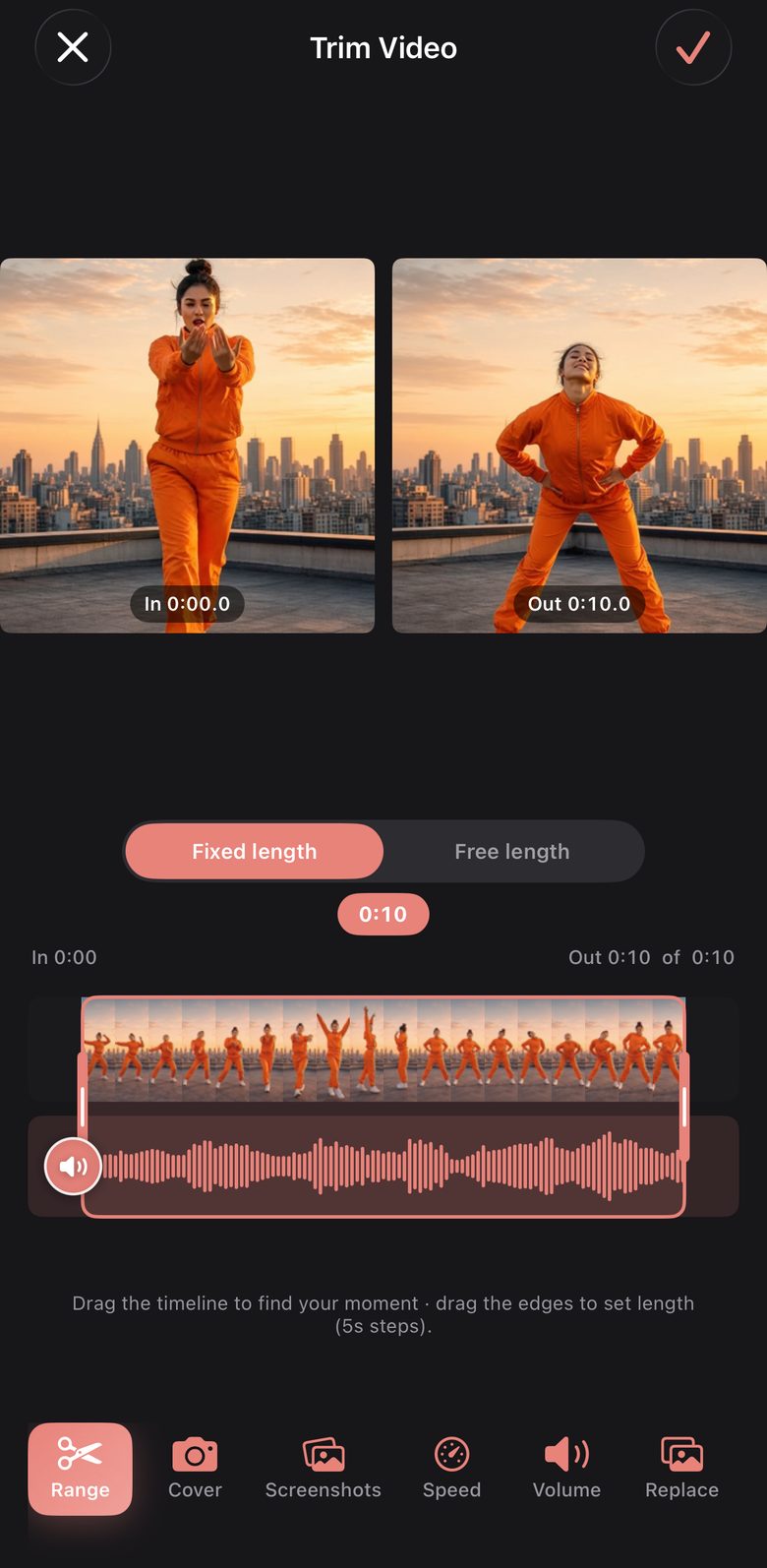
- Trim each clip right where it sits in the grid, to a fixed length or a free in and out
- Mix photos and videos in the same collage
- Freeform: drag any edge and the cells around it resize to fill the frame
03 · Colour
Your look. Your LUTs.
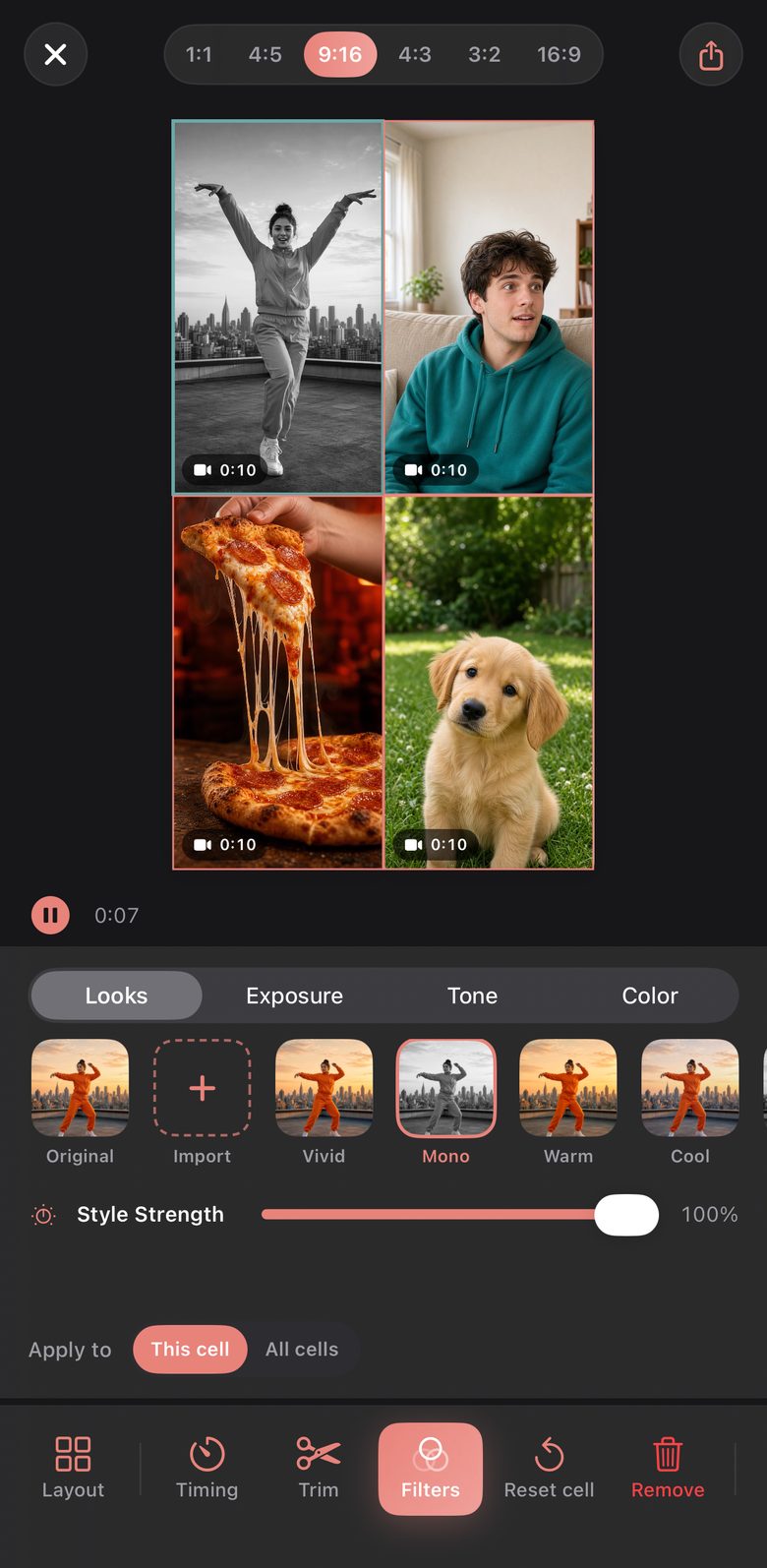
Pick a look for one clip or the whole grid, then fine-tune highlights, shadows, whites, blacks, temperature and tint. Import your own .cube LUTs and use them the same way. What you see in the editor is what exports.
Colour looks and custom LUTs are part of Pro.
04 · Sound
One track under every cell.
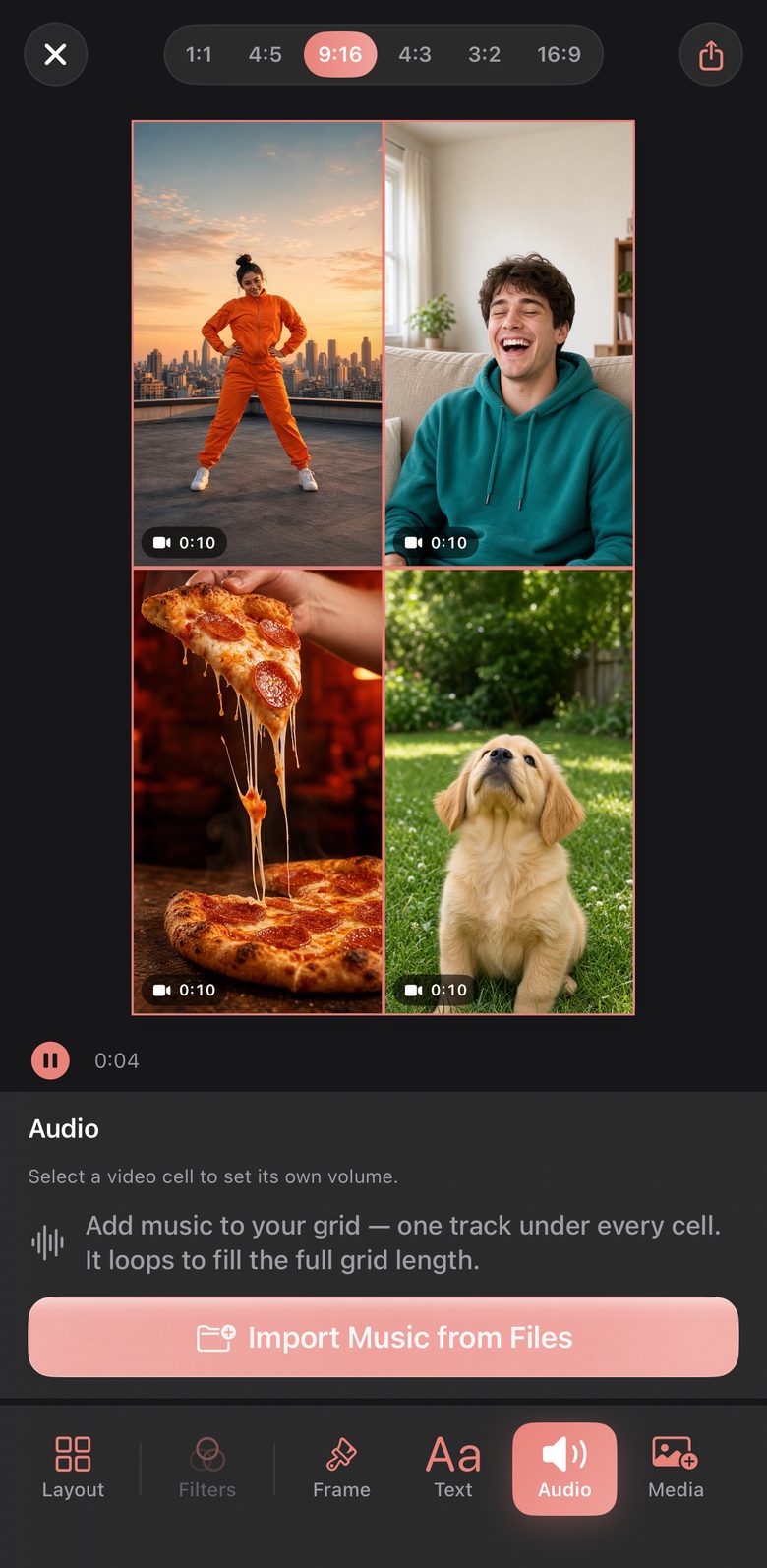
Set each clip's volume on its own, or mute the noisy ones. Add a music bed from Files, scrub to the right part of the song and fade it in and out. It loops to fill the length of the grid.
The trimmer shows each clip's waveform, so you can cut on the beat.
05 · Export
Sized for where it's going.
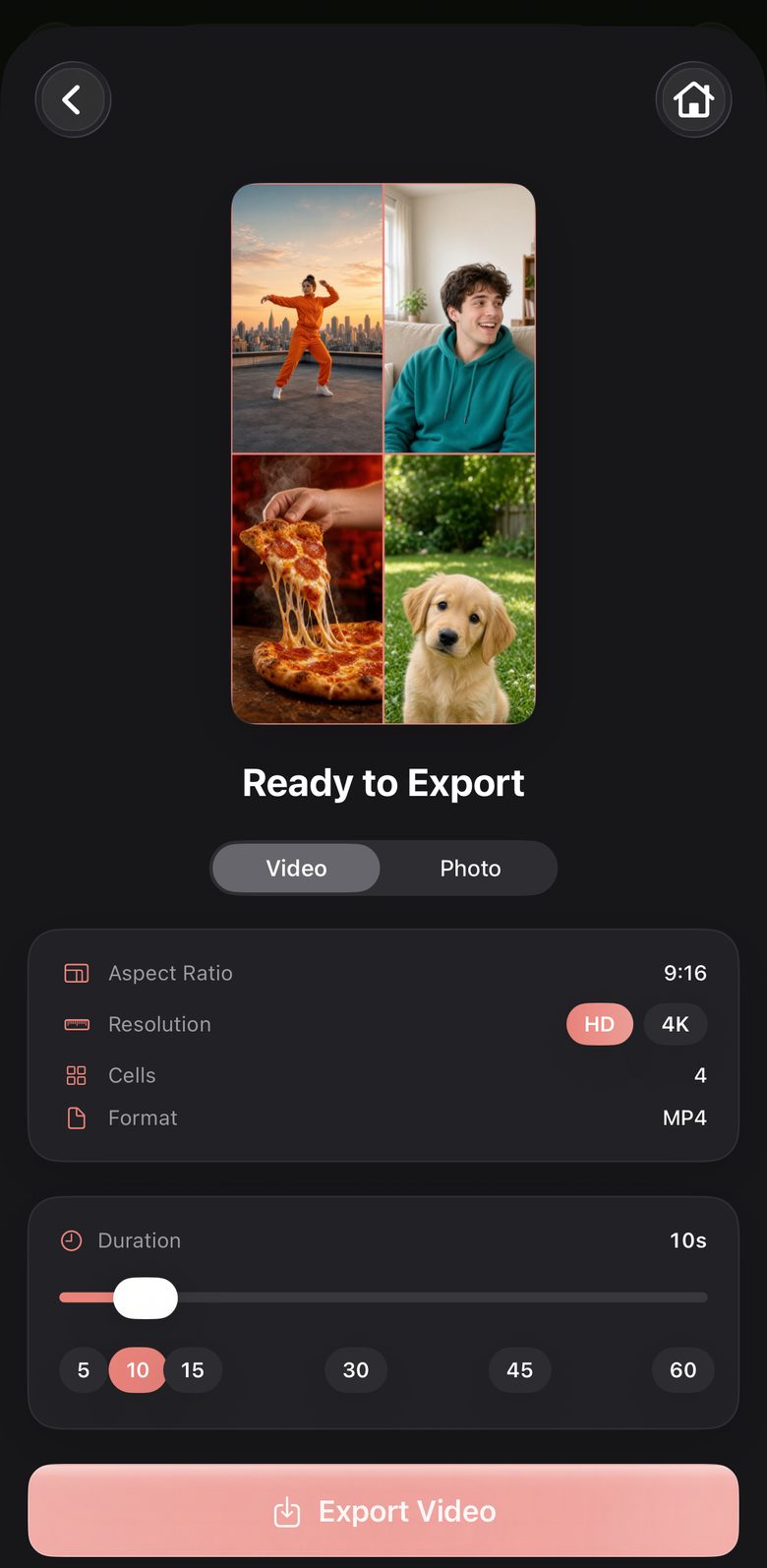
Export for Reels, TikTok, Stories, YouTube or the feed, as one video or a still image. See a live preview of the finished collage first, then save it to a ReelGrid album in Photos or share it. After you save or share, the export screen stays open, so you can send the same collage somewhere else too.
- 1:1
- 4:5
- 9:16
- 4:3
- 3:2
- 16:9
Pro exports in 1080p or 4K, and in HDR when every clip in the collage was filmed in HDR.
Free & Pro
Free is a real app. Pro takes it further.
No trial and no sign-up. Make a whole collage for free, and upgrade only if you want what Pro adds.
Free
Everything you need to make a grid
- All 41 layouts
- Photo and video collages
- The built-in trimmer and text overlays
- 1:1 and 9:16 export at 720p, clips up to 30 seconds
- A small watermark on exports
Pro
For finished, full-resolution work
- No watermark
- 1080p and 4K export, plus HDR from HDR footage
- Clips up to 60 seconds, all six aspect ratios
- Freeform resizing, music layer, playback speed
- Colour looks, tone sliders and your own LUTs
- Text style templates (free to try) and the full border editor
Pro is available weekly, monthly or yearly, or as a one-time Lifetime purchase. Prices vary by country, and the app shows yours before you buy. Subscriptions renew automatically until cancelled in your Apple Account settings.
Private by design
Your footage never leaves your iPhone.
- Every edit, render and export happens on your iPhone
- No account and no sign-in
- No ads and no tracking
- Anonymous usage analytics only: which features get used, never what you make
Support
Help
Answers to the questions people ask most. Still stuck? Email us.
Contact
femiawojide@icloud.com
Include your device model, iOS version, and what you were doing when the problem happened. It roughly halves the number of round trips.
Include your device model, iOS version, and what you were doing when the problem happened. It roughly halves the number of round trips.
Getting started
How do I create a collage?
Tap "Create New Collage" on the home screen, choose a template and aspect ratio, then tap any cell to add a photo or video from your library.
Can I mix photos and videos?
Yes. Photos and videos can share the same collage. Clips can be trimmed up to 30 seconds on the free tier, or up to 60 seconds with ReelGrid Pro.
How do I zoom or reposition media inside a cell?
Pinch to zoom and drag to reposition. Each cell holds its own crop, so adjusting one never disturbs the others.
Can I add background music?
With Pro, yes. Add an audio track, mix its volume against your clips' own sound, and trim or fade it to fit the collage.
What export formats are supported?
Collages export as MP4 video, or as a still image in JPEG, HEIF or PNG, with adjustable quality. Pro adds HD and 4K resolution, and HDR export for HDR-recorded clips.
ReelGrid Pro
What does Pro include?
Watermark-free exports, HD and 4K resolution, HDR export, filters and colour grading, a background music layer, per-cell playback speed, advanced text styling, full border and background customisation, the freeform editor, and clips up to 60 seconds.
Is there a one-time option?
Yes. Alongside weekly, monthly and yearly subscriptions, ReelGrid offers a one-time Lifetime purchase for permanent Pro access with no recurring charge.
How do I restore a purchase on a new device?
Open the app, tap the ReelGrid Pro paywall, then tap "Restore purchase" at the top. This works for subscriptions and for the Lifetime purchase, as long as you use the same Apple ID.
How do I cancel a subscription?
In iOS Settings › your name › Subscriptions › ReelGrid. Deleting the app does not cancel a subscription.
Can I get a refund?
Refunds are handled entirely by Apple, not by us. Request one at reportaproblem.apple.com.
Privacy and data
Do my photos and videos get uploaded anywhere?
No. Every edit, render and export happens on your device. We run no media servers and never receive your content. See the Privacy Policy for the full detail.
Does ReelGrid show ads or track me?
No ads, no advertising SDK, no IDFA, and no tracking across other apps or websites. We collect anonymous feature-usage events only: which buttons get used, not what you make.
Why does the app ask for photo library access?
To let you pick media for a collage, and separately to save a finished collage back to your library. You can revoke either at any time in iOS Settings › Privacy & Security › Photos › ReelGrid.
Troubleshooting
My export failed or looks wrong.
Check that the device has free storage, because 4K exports need room to write the file. If a specific clip fails repeatedly, try re-trimming it, then email us with the device model and iOS version.
I lost a project.
Projects are stored on the device only and are removed when the app is deleted or offloaded. There is no cloud backup, so we cannot recover a lost project.